
Anúncios
Listening to your favorite FM and AM radio stations directly from your smartphone has become easier than ever, transforming how we consume local content and music.


Gone are the days when you needed a dedicated radio receiver to tune into your favorite stations. Modern smartphones have revolutionized how we access radio content, offering multiple ways to listen to both FM and AM broadcasts wherever you go.
Anúncios
Whether you’re commuting to work, exercising at the gym, or relaxing at home, having radio access on your mobile device means never missing your favorite shows, news updates, or music programs. The technology has evolved significantly, providing crystal-clear audio quality and convenient features that traditional radios could never offer.
📻 Understanding FM and AM Radio Technology on Smartphones
Most modern smartphones come equipped with FM radio chips built directly into their hardware. These chips allow your device to receive FM radio signals without consuming mobile data, making it an incredibly efficient way to listen to local broadcasts.
However, not all manufacturers activate this feature. Some phone makers choose to disable the FM chip through software, preferring users to stream content through data-consuming apps instead. This practice has sparked debates among consumers who want access to free, data-friendly radio options.
Anúncios
AM radio reception on smartphones is less common than FM. The longer wavelengths used by AM broadcasts require different antenna configurations, which aren’t typically included in modern phone designs. Despite this limitation, there are alternative solutions for accessing AM content through internet streaming.
🎧 Native FM Radio Capabilities in Your Phone
If your smartphone has an activated FM chip, you’ll need a wired headphone or earbuds to use it. The headphone cable acts as an antenna, receiving radio signals that the phone then processes and plays through your speakers or headphones.
Many Android devices from manufacturers like Samsung, LG, Motorola, and HTC include FM radio apps pre-installed. These apps provide a simple interface where you can scan for available stations, save favorites, and even record broadcasts for later listening.
iPhone users face a different situation. While some older iPhone models contain FM chips, Apple has never activated this functionality. iPhone owners must rely on internet-based streaming solutions to access radio content, which requires a data connection or WiFi.
Checking If Your Phone Has FM Radio Support
To determine whether your device supports native FM radio, check your app drawer for a radio application. Common names include FM Radio, NextRadio, Spirit FM, or simply Radio. If you don’t find one pre-installed, your phone may still have the capability but requires a third-party app.
You can also search your phone’s specifications online, looking specifically for “FM radio” or “FM receiver” in the features list. Manufacturer websites and tech specification databases provide detailed information about your device’s capabilities.
📱 Best Apps for Listening to FM and AM Radio
The app ecosystem offers numerous solutions for radio listening, whether your phone has native FM support or you prefer streaming options. These applications provide access to thousands of stations worldwide, often with additional features like pause, rewind, and recording capabilities.
TuneIn Radio – Your Global Station Directory
TuneIn stands as one of the most comprehensive radio apps available, offering access to over 100,000 stations globally. The platform includes AM, FM, and internet-only stations, podcasts, and live sports coverage.
The app’s intelligent search function helps you discover stations by location, genre, language, or specific show names. Premium subscribers gain access to commercial-free music stations, live NFL games, and audiobooks, expanding the platform’s value beyond traditional radio.
Simple Radio – Minimalist Design, Maximum Content
Simple Radio lives up to its name with a clean, intuitive interface that makes finding and playing stations effortless. The app provides access to over 50,000 stations with minimal battery consumption and data usage.
Features include a sleep timer, alarm clock functionality, and the ability to browse stations by country or genre. The app also supports Android Auto and CarPlay, making it perfect for road trips and daily commutes.

Radio Garden – Explore Stations Worldwide
Radio Garden offers a unique approach to radio discovery through an interactive globe interface. Users spin a virtual Earth and tune into stations by tapping different locations, creating an engaging exploration experience.
This innovative app excels at helping you discover international content and experience radio cultures from around the world. It’s perfect for language learners, travelers, or anyone curious about global broadcasting.
NextRadio – Hybrid FM and Streaming Solution
NextRadio combines native FM reception with internet streaming, offering the best of both worlds. When you’re in range of FM signals, the app uses your phone’s built-in chip, saving data. When FM isn’t available, it seamlessly switches to streaming.
The app displays station artwork, song information, and even purchase links for tracks you’re hearing. This interactive approach transforms passive radio listening into an engaging multimedia experience.
🌐 Internet Streaming vs. Native FM Reception
Understanding the differences between streaming radio and using native FM capabilities helps you make informed choices about how you listen and manage your mobile data usage.
Advantages of Native FM Radio
Using your phone’s built-in FM receiver consumes zero mobile data, making it ideal for users with limited data plans. The feature also works during network outages or in areas with poor cellular coverage, as long as FM signals are available.
Battery consumption is significantly lower with native FM compared to streaming. Since the FM chip requires minimal power and doesn’t need constant network connectivity, your phone’s battery lasts considerably longer during extended listening sessions.
Emergency preparedness represents another crucial advantage. During disasters or emergencies when cellular networks become overloaded, FM radio continues functioning, providing vital information from local authorities and news stations.
Benefits of Internet Streaming
Streaming opens access to unlimited stations globally, removing geographic limitations entirely. You can listen to your hometown station while traveling internationally or discover content from countries you’ve never visited.
Audio quality through streaming often surpasses traditional FM broadcasts, especially for stations that stream in high-definition formats. You won’t experience static interference or signal degradation that sometimes affects over-the-air reception.
Interactive features like song identification, social sharing, playlist creation, and on-demand content make streaming apps more versatile than simple radio receivers. Many stations also offer exclusive digital-only content unavailable on their broadcast frequencies.
💡 Optimizing Your Mobile Radio Experience
Getting the most from radio on your smartphone involves understanding settings, choosing the right accessories, and implementing smart listening habits that balance quality with resource consumption.
Choosing the Right Headphones
For native FM radio, wired headphones are mandatory since the cable functions as your antenna. However, headphone quality significantly impacts your listening experience. Look for models with proper shielding to minimize interference and clear audio reproduction across all frequencies.
Bluetooth headphones work perfectly for streaming radio apps but won’t enable native FM functionality. If you want flexibility for both options, consider headphones with detachable cables or keep an inexpensive wired pair specifically for FM listening.
Managing Data Usage for Streaming
Streaming radio consumes approximately 60-70 MB per hour at standard quality settings. If you stream several hours daily, this quickly adds up. Most radio apps include data usage settings where you can adjust quality to reduce consumption.
Download your favorite shows or podcasts when connected to WiFi for offline listening later. Many apps support this feature, allowing you to enjoy content during your commute without touching your mobile data allocation.
Setting up automatic quality adjustments based on your connection type ensures optimal performance. Configure apps to stream high quality on WiFi while automatically reducing quality when using cellular data.
Enhancing Signal Reception
For native FM radio, antenna positioning makes a significant difference. Keep your headphone cable extended rather than bundled, and avoid wrapping it around your device. The more cable exposed, the better your reception typically becomes.
Position yourself near windows when indoors, as building materials can interfere with radio signals. If reception remains poor, try switching to streaming mode or moving to a different location within your space.
🚗 Radio on Mobile Devices for Drivers
Smartphones have become essential co-pilots for modern drivers, and radio functionality plays a significant role in this transformation. Whether you’re using your car’s built-in system or your phone’s speakers, safe and convenient access matters.
Android Auto and Apple CarPlay integrate seamlessly with radio apps, displaying station information on your dashboard screen and allowing voice-controlled station changes. This integration keeps your hands on the wheel while providing full control over your listening experience.
Many vehicles now offer wireless Android Auto and CarPlay, eliminating cable clutter while maintaining full functionality. Your radio apps appear alongside navigation, messaging, and other essential driving apps in a unified, safe-to-use interface.
For older vehicles without smart integration, Bluetooth adapters provide an affordable solution. These devices connect to your car’s auxiliary input or FM transmitter, wirelessly streaming audio from your phone’s radio apps through your vehicle’s speaker system.
📡 The Future of Radio on Mobile Devices
Radio broadcasting continues evolving alongside mobile technology, with new standards and features emerging that promise enhanced experiences for smartphone users.
HD Radio technology brings FM-quality audio to AM frequencies and CD-quality sound to FM broadcasts. Some newer smartphones and radio apps support HD Radio reception, offering superior audio clarity and additional programming on sub-channels.
5G networks enable higher-quality streaming with lower latency, making internet radio feel more immediate and responsive. This advancement particularly benefits live sports and news broadcasts where timing matters.
Podcast integration within radio apps blurs the line between traditional broadcasting and on-demand content. Many stations now offer their regular programming as podcasts, allowing time-shifted listening that fits your schedule rather than the broadcast timeline.
Artificial intelligence and machine learning increasingly power station recommendations, helping you discover new content aligned with your preferences. These smart algorithms analyze your listening habits and suggest stations, shows, and podcasts you’re likely to enjoy.
🎵 Discovering New Stations and Content
One of the greatest advantages of having radio on your mobile device is the ability to explore beyond your local broadcast area and discover incredible content from around the world.
Genre-specific searches help you find stations that match your exact musical tastes, whether you’re into jazz, classical, country, electronic, or any other style. Most apps categorize stations by dozens of genres, making targeted discovery simple.
Local station directories let you explore programming from specific cities or regions, perfect for staying connected to your hometown while traveling or experiencing the local flavor of places you’re visiting or planning to visit.
Language filters enable you to find stations broadcasting in your preferred language, regardless of where you’re located. This feature serves language learners exceptionally well, providing authentic listening practice from native speakers.
🔧 Troubleshooting Common Radio App Issues
Even with the best technology, occasional problems arise. Understanding common issues and their solutions ensures uninterrupted listening pleasure.
When streaming stations buffer frequently, check your internet connection strength first. Switch between WiFi and cellular data to identify if the problem relates to your network. Lowering stream quality in app settings often resolves buffering on slower connections.
If native FM radio produces static or weak signals, ensure your headphone cable is fully inserted and properly extended. Try different headphones, as cable quality and length directly impact reception quality.
App crashes or failure to launch typically resolve with a simple restart. Close the app completely, clear its cache through your phone’s settings, and relaunch. If problems persist, uninstalling and reinstalling the app usually fixes corrupt files.
Sound quality issues may stem from your phone’s audio settings rather than the app itself. Check equalizer settings, disable audio enhancements that might interfere, and ensure your volume levels aren’t pushing into distortion territory.
🌟 Making Radio Part of Your Daily Routine
Integrating radio into your daily life transforms routine activities into opportunities for entertainment, education, and connection with your community.
Morning news programs keep you informed about weather, traffic, and current events while you prepare for the day. Setting your favorite station as your alarm tone makes waking up more pleasant than jarring beeps or buzzes.
Workout sessions become more enjoyable with energetic music stations or motivational talk shows. Create station presets for different activities – upbeat music for cardio, calmer content for yoga or stretching.
Cooking becomes more entertaining with food-focused programs, music that matches your meal’s cultural origin, or simply background conversation that makes kitchen time less lonely.
Bedtime wind-down benefits from soothing classical stations, ambient music channels, or gentle talk radio. Use sleep timer features to automatically shut off after you’ve drifted off, conserving battery while helping you relax.
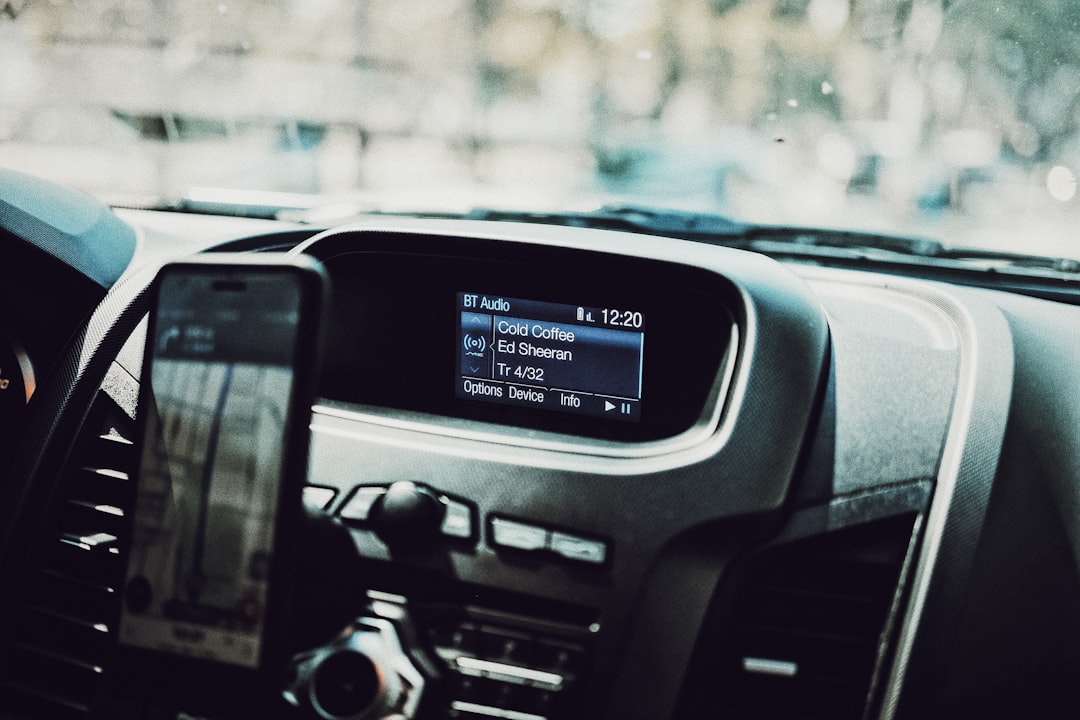
🎙️ Embracing the Radio Renaissance on Mobile
Despite predictions of radio’s demise in the digital age, the medium thrives on mobile platforms, reaching more listeners than ever before. Smartphones haven’t killed radio – they’ve liberated it from stationary receivers and geographical limitations.
The intimate connection between radio hosts and listeners remains radio’s greatest strength. Unlike algorithm-driven playlists, live DJs provide human curation, local context, and community connection that artificial intelligence can’t replicate.
Local emergency information, community event coverage, and regional news keep radio relevant and valuable, especially in your hometown area. During natural disasters or major local events, radio stations become information lifelines.
The accessibility of radio on mobile devices democratizes content consumption. Whether you can afford premium streaming subscriptions or need free entertainment options, radio delivers quality content without paywalls or subscription fees.
As technology continues advancing, radio adapts and evolves rather than disappearing. Your smartphone serves as the perfect bridge between radio’s traditional strengths and modern convenience, offering the best of both worlds in the palm of your hand. The future of radio looks bright, mobile, and more accessible than ever before. 📻✨
