
Anúncios
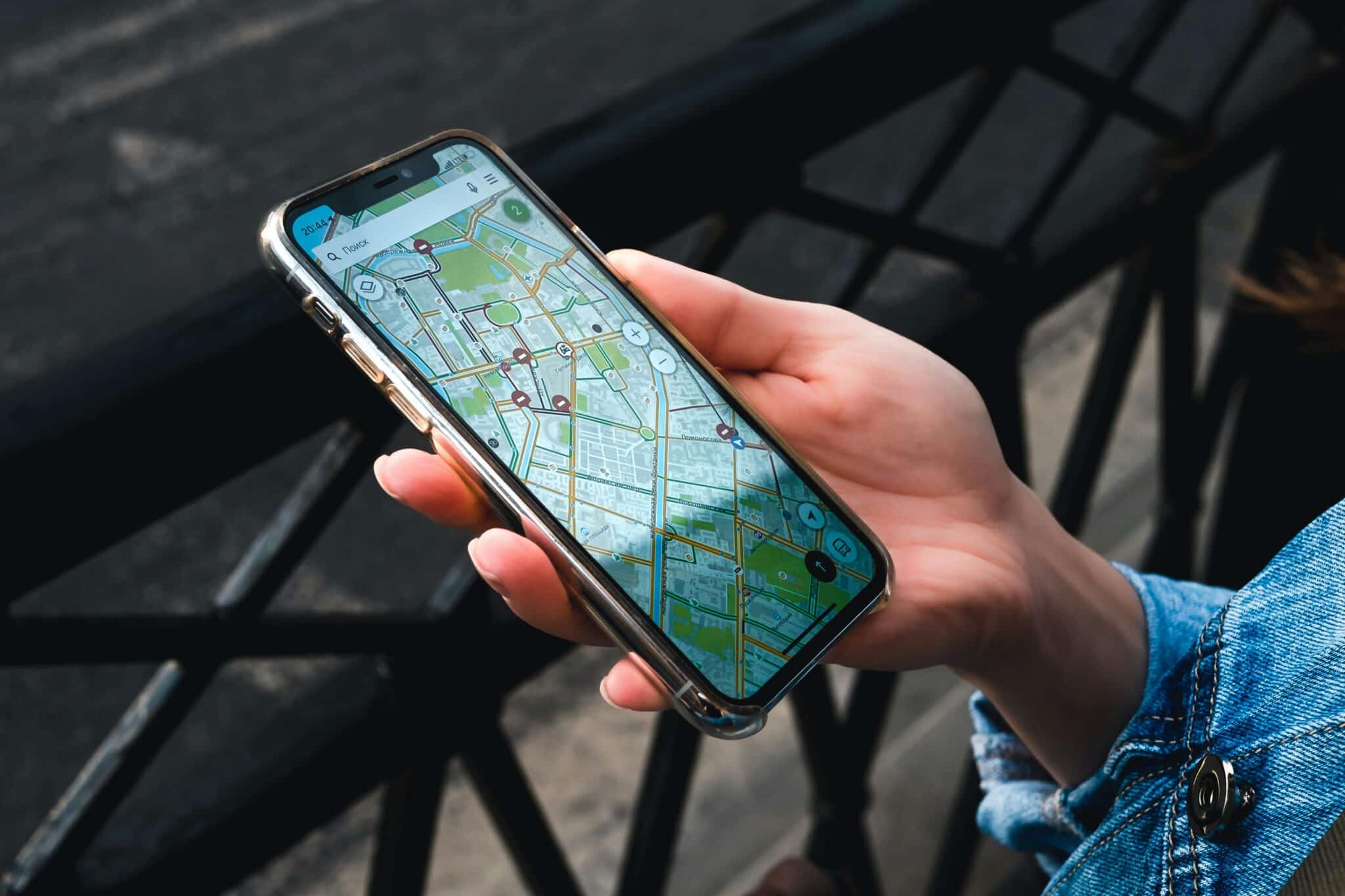
GPS and map applications have revolutionized how we navigate our world, transforming smartphones into powerful navigation tools that guide millions of users daily through unfamiliar streets and adventures.


Gone are the days when travelers relied solely on paper maps and handwritten directions. Today’s GPS and mapping applications offer real-time navigation, traffic updates, and comprehensive location data at our fingertips. These technological marvels have become essential companions for daily commutes, road trips, hiking adventures, and exploring new cities.
Anúncios
The evolution of GPS technology has created an ecosystem where multiple applications compete to provide the best user experience. From Google Maps’ comprehensive database to specialized navigation tools for hikers and cyclists, there’s a mapping solution for virtually every need. Understanding the features, benefits, and limitations of these applications helps users make informed choices about which tools best serve their navigation requirements.
🗺️ The Technology Behind Modern Navigation Apps
GPS applications rely on a sophisticated network of satellites orbiting Earth, constantly transmitting signals that smartphones interpret to determine precise locations. This Global Positioning System, originally developed for military purposes, now serves billions of civilian users worldwide. Modern smartphones combine GPS data with Wi-Fi positioning, cellular tower triangulation, and accelerometer readings to provide accurate location information even in challenging environments.
The accuracy of these systems has improved dramatically over the years. While early consumer GPS devices offered accuracy within 10-15 meters, contemporary smartphones can pinpoint locations within 4-5 meters under optimal conditions. Advanced techniques like differential GPS and real-time kinematic positioning push accuracy to centimeter-level precision for specialized applications.
Anúncios
Mapping applications continuously download and cache map data, allowing them to function even with limited connectivity. This offline capability has become increasingly important as users venture into areas with poor cellular coverage. The most sophisticated apps allow users to download entire regions or countries, ensuring navigation assistance remains available regardless of network availability.
🚗 Essential Features That Define Great Navigation Apps
Turn-by-turn voice navigation represents the cornerstone feature of any GPS application. Clear, timely audio instructions allow drivers to keep their eyes on the road while receiving guidance. The best applications provide advance warning of upcoming maneuvers, lane guidance for complex intersections, and alternative route suggestions when traffic conditions change.
Real-time traffic monitoring transforms navigation from static route planning to dynamic journey optimization. By analyzing data from millions of users, mapping applications identify congestion, accidents, and road closures, automatically rerouting drivers around delays. This crowdsourced intelligence makes modern navigation apps exponentially more useful than traditional GPS devices.
Points of interest databases have evolved into comprehensive business directories integrated directly into mapping applications. Users can search for restaurants, gas stations, hotels, and attractions, view ratings and reviews, make reservations, and navigate directly to their chosen destinations. This integration of local discovery with navigation creates a seamless travel planning experience.
Offline Mapping Capabilities 📡
The ability to download maps for offline use distinguishes premium navigation solutions from basic mapping tools. Travelers exploring remote areas, international tourists avoiding roaming charges, and hikers venturing beyond cellular coverage all benefit from offline map access. These downloaded maps typically include full navigation capabilities, search functionality, and point-of-interest information.
Different applications approach offline mapping with varying philosophies. Some limit the geographic size of downloadable regions, while others allow users to download entire continents. Storage space becomes a consideration, as detailed maps with satellite imagery can consume significant device memory. Smart users balance coverage needs against available storage capacity.

🌍 Specialized Navigation for Different Activities
Driving navigation applications prioritize features like highway exit information, speed limit warnings, and multi-stop route optimization. They calculate routes based on typical driving speeds, avoid pedestrian paths, and provide parking information at destinations. Integration with vehicle infotainment systems allows navigation to display on larger screens with steering wheel controls.
Cycling-specific navigation apps consider bike lanes, trail conditions, and elevation changes when calculating routes. They avoid highways and high-traffic roads, preferring quieter streets and dedicated cycling infrastructure. Calorie tracking, workout statistics, and integration with fitness platforms appeal to recreational cyclists and serious athletes alike.
Hiking and outdoor navigation applications offer topographic maps, trail information, and features designed for wilderness exploration. Elevation profiles help hikers assess trail difficulty, while waypoint marking allows users to record interesting locations or navigate back to starting points. Weather integration and sunrise/sunset times prove invaluable for backcountry trip planning.
Public Transportation Integration 🚇
Urban navigation increasingly incorporates public transportation options, providing subway, bus, and train schedules alongside driving and walking directions. These multimodal routing features help users compare travel times and costs across different transportation methods. Real-time arrival information and service alerts keep commuters informed about delays and schedule changes.
The most sophisticated transit integration includes ticket purchasing directly within mapping applications. Users can plan journeys, purchase passes, and board vehicles without juggling multiple apps or fumbling for physical tickets. This seamless experience reduces friction in public transportation usage and supports urban mobility initiatives.
🔒 Privacy Considerations in Location-Based Services
GPS applications necessarily collect extensive location data to function properly, raising legitimate privacy concerns. Users essentially share their movements with application developers, creating detailed records of daily routines, frequented locations, and travel patterns. Understanding how different apps collect, store, and utilize this information empowers users to make privacy-conscious choices.
Location history features offer personalized timeline views of past journeys, helping users remember visited places and retrace their steps. However, this convenience comes with privacy trade-offs. Some users disable location history entirely, while others regularly review and delete their data. The best practice involves understanding available privacy controls and configuring them according to personal comfort levels.
Third-party data sharing represents another privacy dimension. Mapping applications often share anonymized location data with advertisers, traffic monitoring services, and business partners. Reading privacy policies reveals how companies handle user information, though these documents often use complex legal language. Privacy-focused alternatives exist for users who prioritize data protection over feature richness.
💡 Maximizing Battery Life During Navigation
GPS navigation drains smartphone batteries faster than almost any other activity. The combination of constant GPS signal reception, screen illumination, cellular data usage, and processor-intensive route calculation creates significant power demands. Understanding battery optimization techniques extends navigation availability during long journeys.
Screen brightness adjustment provides the simplest battery-saving measure. Reducing brightness to comfortable minimum levels dramatically decreases power consumption. Many applications offer night mode interfaces that use darker colors, further reducing battery drain during evening navigation. Disabling unnecessary features like satellite view and traffic overlays also conserves power.
Offline maps significantly reduce battery consumption by eliminating constant data downloads. Navigation calculations perform locally without continuous server communication, reducing both cellular radio usage and background data processing. For extended trips without charging opportunities, downloading relevant maps beforehand proves essential for maintaining navigation throughout the journey.
Power Management Accessories 🔋
Portable battery packs have become essential accessories for heavy navigation users. High-capacity power banks provide multiple full charges, ensuring navigation capability throughout multi-day adventures. Car charging adapters and wireless charging mounts offer convenient power solutions for automotive navigation, though cable quality significantly affects charging speed and reliability.
🎯 Accuracy Challenges and Limitations
Urban canyons created by tall buildings interfere with GPS signals, causing position drift and inaccurate location detection. Multi-path signal reflection confuses receivers, sometimes placing users on parallel streets or incorrect building sides. Applications compensate using Wi-Fi positioning and movement pattern recognition, though these solutions remain imperfect in dense metropolitan areas.
Tunnels and enclosed parking structures completely block GPS signals, leaving navigation apps temporarily blind. Modern applications use inertial sensors and dead reckoning to estimate position during signal loss, though accuracy degrades rapidly. Upon regaining satellite contact, apps quickly recalibrate and resume accurate positioning.
Map data accuracy varies significantly between regions. Well-mapped urban areas receive frequent updates reflecting construction changes, new businesses, and road modifications. Remote or rapidly developing regions may contain outdated information, missing roads, or incorrect business details. User-contributed corrections help improve map quality over time, though verification processes delay implementation.
🌟 Emerging Features Shaping Navigation’s Future
Augmented reality navigation overlays directional arrows and location information directly onto live camera views. This technology helps pedestrians navigate complex urban environments by highlighting exact building entrances and turn locations. Early implementations show promise but face challenges with device positioning accuracy and battery consumption.
Artificial intelligence integration enables predictive routing that learns user patterns and proactively suggests destinations. Apps anticipate morning commutes, evening returns home, and regular weekend activities, streamlining navigation for routine journeys. Machine learning algorithms continuously refine these predictions based on behavior patterns and schedule changes.
Environmental routing considers factors beyond travel time, including fuel efficiency, carbon emissions, and eco-friendly routes. Electric vehicle integration calculates range, identifies charging stations, and plans routes around charging needs. These sustainability-focused features appeal to environmentally conscious users and support broader carbon reduction goals.
Voice Assistant Integration 🎤
Deep integration with virtual assistants allows hands-free navigation control through natural language commands. Users can request directions, ask about traffic conditions, and search for nearby amenities without touching their devices. This voice-first approach enhances safety for drivers and convenience for multitasking users managing navigation while handling other responsibilities.
🏆 Choosing the Right GPS Application
Selecting appropriate navigation software depends on individual usage patterns and priorities. Frequent travelers benefit from applications with extensive offline capabilities and international coverage. Daily commuters prioritize real-time traffic accuracy and public transportation integration. Outdoor enthusiasts require topographic maps and trail-specific features. Identifying primary use cases guides selection toward applications aligned with specific needs.
Feature comparison reveals significant differences between popular options. Some applications excel at business discovery and local recommendations, while others focus purely on navigation efficiency. Interface preferences matter too—some users prefer minimalist designs, while others appreciate information-dense displays. Testing multiple applications helps determine which interface philosophy resonates best.
Platform ecosystem integration influences application choice for users deeply invested in particular technology brands. Native applications often provide tighter system integration, better battery optimization, and seamless connectivity with other platform services. Third-party options offer cross-platform consistency and specialized features unavailable in default applications.
📊 Comparing Popular GPS Solutions
| Feature | General Navigation | Offline Capability | Specialty Use |
|---|---|---|---|
| Real-time Traffic | Excellent | Limited | Variable |
| Map Coverage | Global | Downloadable Regions | Specialized Areas |
| POI Database | Comprehensive | Moderate | Activity-Specific |
| Update Frequency | Continuous | Manual/Periodic | Community-Driven |
🔧 Troubleshooting Common Navigation Issues
GPS signal acquisition delays frustrate users when navigation apps fail to lock onto position quickly. Moving to open areas with clear sky visibility improves satellite reception. Restarting the device refreshes GPS hardware and often resolves persistent connection issues. Ensuring location services remain enabled and granting necessary permissions prevents application-level problems.
Incorrect routing occasionally directs users along suboptimal paths or suggests impossible maneuvers. Reporting these issues through built-in feedback mechanisms helps improve map data. Checking for application updates ensures access to latest routing algorithms and map corrections. Manually adjusting routes or selecting alternative suggestions provides immediate workarounds.
Data consumption concerns arise when using navigation apps extensively without Wi-Fi connectivity. Downloading offline maps eliminates ongoing data requirements for core navigation functions. Disabling features like satellite imagery and traffic updates reduces bandwidth usage when cellular data limits apply. Monitoring data consumption through device settings prevents unexpected overage charges.
🌐 The Global Impact of Navigation Technology
GPS applications have democratized access to sophisticated navigation tools previously available only through expensive dedicated devices. Small businesses benefit from increased discoverability as customers easily locate their establishments. Emergency services respond more efficiently using precise location coordinates shared through mapping applications. The societal benefits extend far beyond individual convenience.
Economic productivity gains from reduced travel time and improved route efficiency amount to billions annually. Delivery services optimize logistics using intelligent routing that adapts to real-time conditions. Reduced fuel consumption from efficient navigation contributes to environmental protection. These cumulative effects demonstrate how mapping technology influences modern society at fundamental levels.
Developing regions experience particularly dramatic impacts as smartphone navigation leapfrogs traditional infrastructure limitations. Areas lacking comprehensive street signage or accurate paper maps gain reliable navigation through GPS applications. This technological accessibility promotes economic development, tourism growth, and improved emergency response capabilities in previously underserved communities.
🚀 Making the Most of Your Navigation App
Regular updates ensure access to latest features, map improvements, and security patches. Enabling automatic updates maintains optimal performance without manual intervention. Periodically reviewing settings allows users to discover new features and adjust configurations as needs evolve. Exploring advanced options unlocks capabilities that casual users often overlook.
Contributing corrections and reviews improves map quality for entire user communities. Reporting closed businesses, new roads, and incorrect information helps maintain database accuracy. Adding photos and detailed reviews assists fellow users in making informed decisions about destinations. This collaborative approach continuously enhances the collective navigation experience.
GPS and map applications represent remarkable technological achievements that continue evolving at impressive pace. Understanding their capabilities, limitations, and optimal usage patterns empowers users to navigate confidently through familiar neighborhoods and unexplored territories alike. Whether commuting to work, embarking on international adventures, or discovering hidden local gems, modern navigation apps provide indispensable guidance every step of the journey. The future promises even more sophisticated features, better accuracy, and seamless integration into daily life as these essential tools continue developing.
