
Anúncios
Battery draining too fast? You’re not alone.


Millions of smartphone users worldwide search daily for ways to extend their device’s battery life and improve overall performance.
Modern smartphones pack incredible power, but their batteries often struggle to keep up with our demanding usage patterns.
From streaming videos to gaming and constant social media scrolling, our devices work overtime, leaving us desperately searching for a charger by midday.
The good news? Battery management apps have evolved significantly, offering real solutions beyond simple placebo effects.
These tools monitor consumption patterns, identify power-hungry apps, and provide actionable insights to genuinely extend your phone’s battery life.
Let’s explore how these apps work and whether they truly deliver on their promises.
📱 What Are Battery Booster Apps Really?
Battery booster applications are specialized software designed to monitor, analyze, and optimize your smartphone’s power consumption. Unlike the “magic” apps from years ago that promised to double battery life instantly, today’s legitimate tools focus on providing detailed diagnostics and practical optimization strategies.
These apps work by tracking how individual applications consume energy, monitoring charging cycles, measuring battery health degradation over time, and offering recommendations based on actual usage data. Think of them as fitness trackers for your phone’s battery—they don’t magically create energy, but they help you use what you have more efficiently.
The most effective battery apps combine several functions: real-time monitoring of power consumption, historical data analysis to identify trends, alerts for abnormal battery drain, charging optimization to protect battery health, and detailed statistics about app behavior. This comprehensive approach gives users genuine control over their device’s energy management.
🔋 The Science Behind Battery Degradation
Understanding why batteries lose capacity helps explain how optimization apps can actually help. Lithium-ion batteries, which power virtually all modern smartphones, degrade through a process called capacity fade. This happens through chemical reactions that occur during each charge cycle.
Every time you charge your phone from 0% to 100%, that counts as one cycle. Most smartphone batteries are designed to retain about 80% of their original capacity after 500 complete cycles—roughly two years of typical use. However, certain behaviors accelerate this degradation significantly.
Heat is battery enemy number one. Exposing your phone to high temperatures, whether from direct sunlight, leaving it in a hot car, or intensive gaming sessions, damages the battery’s chemical structure. Similarly, keeping your battery constantly at 100% or letting it drop to 0% regularly stresses the cells more than maintaining levels between 20% and 80%.
Fast charging, while convenient, generates more heat than slower charging methods. The best battery management apps help you balance convenience with longevity by tracking these factors and alerting you when conditions might harm your battery’s long-term health.
✨ Key Features That Actually Make a Difference
Not all battery apps are created equal. The most effective ones share several critical features that separate genuine tools from digital snake oil. Here’s what to look for when choosing a battery management application:
Accurate battery health measurement stands as the foundation. Quality apps calculate your battery’s actual capacity compared to its design specification, showing real degradation percentages rather than vague “good” or “bad” ratings.
Per-app consumption tracking reveals exactly which applications drain your battery most aggressively. Many users are surprised to discover that certain seemingly innocent apps consume enormous amounts of power running in the background.
Charging alerts and optimization notify you when your battery reaches ideal charge levels. This prevents overcharging and helps maintain optimal battery health over months and years of use.
Screen-on time estimates provide realistic projections for how long your battery will last based on current usage patterns. This helps you plan your day without anxiety about unexpected shutdowns.
Historical data and trends allow you to see how your battery health changes over weeks and months, identifying whether specific behaviors or apps correlate with faster degradation.

🎯 Common Misconceptions About Battery Apps
The battery app market suffers from years of misleading claims and outright scams. Understanding what these apps can’t do is just as important as knowing their genuine capabilities.
Myth: Battery apps can restore lost capacity. Once battery degradation occurs at the chemical level, no software can reverse it. Apps that claim to “repair” or “restore” batteries are misleading users. What good apps can do is slow future degradation through better management practices.
Myth: Killing background apps saves significant battery. Modern operating systems already manage background processes efficiently. Constantly force-closing apps can actually increase battery consumption because apps use more power restarting than running in a managed background state.
Myth: You need to fully discharge before charging. This advice applied to old nickel-cadmium batteries but actually harms modern lithium-ion cells. Partial charges are healthier than full discharge-recharge cycles.
Myth: Overnight charging damages batteries. Contemporary smartphones include charge controllers that stop power flow once batteries reach 100%. However, keeping batteries at full charge for extended periods does cause minor degradation, which is why some newer devices offer “optimized charging” features.
💡 Practical Tips Beyond Apps
While battery management apps provide valuable insights, combining them with smart usage habits multiplies their effectiveness. These strategies work synergistically with app-based monitoring:
Adjust screen brightness intelligently. Your display typically consumes 30-50% of battery power. Using automatic brightness or manually reducing levels in well-lit environments dramatically extends runtime.
Manage connectivity features. WiFi, Bluetooth, GPS, and mobile data all consume power even when idle. Disable features you’re not actively using, especially location services for apps that don’t genuinely need them.
Update apps and operating systems regularly. Developers constantly optimize code for better efficiency. Those updates often include battery consumption improvements that work alongside your monitoring app’s recommendations.
Enable dark mode on OLED screens. If your phone has an OLED or AMOLED display, dark themes reduce power consumption because black pixels are actually turned off rather than displaying color.
Review app permissions. Many apps request access to features they don’t need for basic functionality. Camera, microphone, and location access all consume power when active.
🛡️ Privacy and Security Considerations
Installing any third-party app requires trust, especially one that monitors system-level information like battery usage. Legitimate battery apps need certain permissions to function, but understanding what’s reasonable protects your privacy.
Essential permissions include battery statistics access (obviously), usage access to track per-app consumption, and notification permissions to send alerts. However, battery apps have no legitimate reason to access your contacts, camera, microphone, or SMS messages.
Read user reviews carefully before installing. Patterns of complaints about excessive ads, aggressive data collection, or suspicious behavior should raise red flags. Stick with established apps from reputable developers with transparent privacy policies.
Check what data apps collect and how they use it. Some battery apps anonymize and aggregate usage statistics for research purposes, which is generally harmless. Others may sell detailed usage profiles to advertisers, which crosses privacy boundaries.
📊 Measuring Real Results
How do you know if a battery management app actually works? Objective measurement separates genuine improvements from placebo effects.
Establish a baseline before making changes. Use your phone normally for several days while your battery app collects data. Note your typical screen-on time, how long between charges, and which apps consume the most power.
Implement recommended changes gradually. If you change multiple variables simultaneously—installing an app, adjusting settings, and changing usage habits—you won’t know which intervention actually helped.
Track metrics over weeks, not days. Battery performance varies with daily usage patterns. A single day of light use doesn’t prove anything. Look for sustained improvements in average screen-on time and charge cycles.
Consider external factors. Software updates, new apps, environmental temperature, and cellular signal strength all affect battery life. Account for these variables when evaluating results.
🔮 The Future of Battery Technology
While optimization apps help maximize current battery technology, the industry is working on fundamental improvements that will eventually reduce our charging anxiety.
Solid-state batteries promise higher energy density, faster charging, and longer lifespans than current lithium-ion technology. Several manufacturers have working prototypes, with commercial implementation expected in coming years.
AI-powered battery management is becoming standard in flagship devices. These systems learn individual usage patterns and predictively manage power consumption more effectively than manual optimizations.
Wireless charging continues improving in speed and efficiency, while reverse wireless charging allows devices to share power. These conveniences may eventually make battery capacity less critical as charging becomes truly ubiquitous.
Graphene-based batteries remain the holy grail—theoretically offering much faster charging, greater capacity, and longer lifespans. However, manufacturing challenges have kept them in laboratories rather than smartphones.
⚡ Making the Smart Choice
Battery management apps work best as diagnostic and educational tools rather than miracle solutions. They reveal how you actually use your device, identify wasteful behaviors, and help you develop habits that extend both daily runtime and long-term battery health.
The most successful users treat these apps like financial budgeting software—they provide information and recommendations, but you must implement changes to see results. Simply installing an app without acting on its insights accomplishes nothing.
Choose applications from established developers with strong reputations and clear privacy policies. Avoid anything promising unrealistic results or requiring suspicious permissions. Focus on tools that educate and inform rather than claiming to magically solve battery problems.
Combine app-based monitoring with sensible usage habits: moderate screen brightness, manage connectivity features intelligently, update software regularly, and avoid temperature extremes. This holistic approach delivers measurable improvements that single solutions cannot.
🌟 Your Battery, Your Control
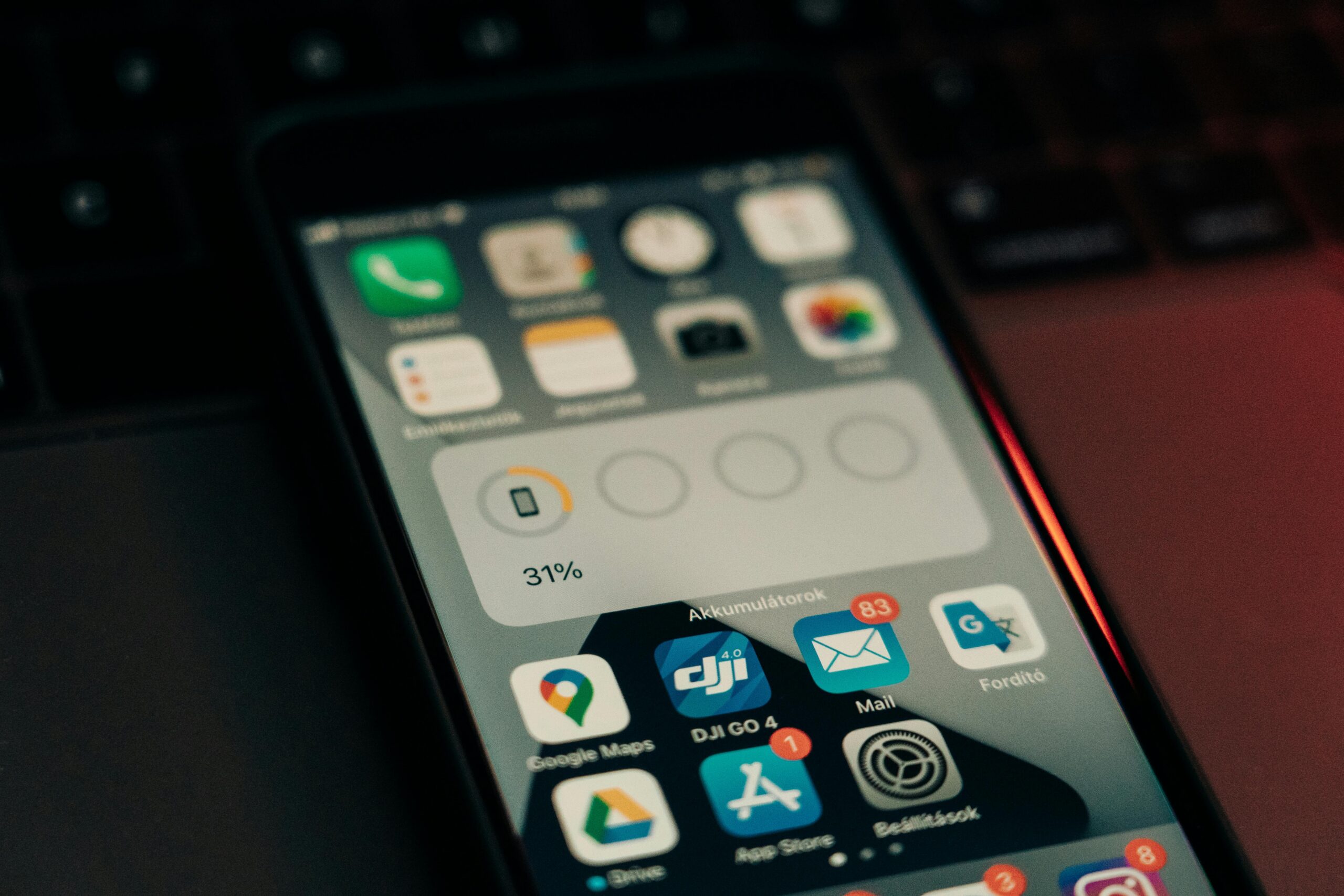
Understanding your smartphone’s battery transforms it from a mysterious black box into a manageable system. Modern battery apps provide unprecedented visibility into power consumption patterns, revealing exactly where energy goes and how to use it more efficiently.
The key insight is that battery management isn’t about deprivation—using your phone less or disabling features you value. Instead, it’s about eliminating waste: stopping rogue apps from draining power unnecessarily, avoiding behaviors that damage battery health, and making informed tradeoffs between features and runtime.
Start with realistic expectations. No app will double your battery life overnight, but a quality tool combined with smart habits can easily extend your phone’s daily runtime by 20-30% while slowing long-term degradation. Over your device’s lifespan, this translates to noticeably better performance and potentially delaying costly battery replacements.
Your smartphone serves as the hub of modern digital life—communication, entertainment, productivity, navigation, and countless other functions. Taking control of its battery management ensures it’s ready when you need it, reducing anxiety and improving your overall mobile experience. The tools exist, the knowledge is available, and the results are measurable. The only question is whether you’ll take that first step toward better battery management today.
