
Anúncios
Unlock the full potential of your smartphone by enabling 5G connectivity and experiencing lightning-fast internet speeds like never before.


The rollout of 5G networks worldwide has transformed how we interact with mobile technology. From seamless video streaming to instant downloads and enhanced gaming experiences, this next-generation wireless technology promises speeds up to 100 times faster than 4G. However, many smartphone users aren’t accessing these capabilities simply because their devices haven’t been properly configured.
Anúncios
Whether you’ve recently upgraded to a 5G-compatible phone or just discovered your current device supports this technology, activating it requires a few straightforward steps. Understanding how to enable 5G on your device opens doors to unprecedented connectivity, improved reliability, and a glimpse into the future of mobile communication. Let’s explore everything you need to know about unleashing 5G power on your smartphone.
📱 Understanding 5G Technology and Its Benefits
Fifth-generation wireless technology represents a quantum leap forward in mobile connectivity. Unlike its predecessors, 5G operates on higher frequency bands, allowing for significantly greater data transmission speeds and reduced latency. This translates to real-world improvements that go far beyond simple browsing.
The average 5G download speed ranges from 150 to 300 Mbps, with peak speeds potentially reaching 1-2 Gbps in optimal conditions. This means downloading a full HD movie in seconds rather than minutes, streaming 4K content without buffering, and enjoying cloud gaming without noticeable lag.
Anúncios
Beyond speed, 5G networks offer improved capacity, handling more connected devices simultaneously without performance degradation. This becomes increasingly important as smart homes, wearables, and IoT devices proliferate. The reduced latency—often below 10 milliseconds—creates near-instantaneous responsiveness essential for applications like augmented reality, remote surgery, and autonomous vehicles.
✅ Checking If Your Phone Supports 5G
Before attempting to enable 5G, you’ll need to verify whether your smartphone actually supports this technology. Not all devices are 5G-capable, and compatibility varies by manufacturer, model, and release date.
For iPhone users, 5G support began with the iPhone 12 series released in late 2020. All subsequent models—including iPhone 13, 14, 15, and their variations—come equipped with 5G capabilities. You can verify this by navigating to Settings > Cellular > Cellular Data Options, where 5G settings should appear if supported.
Android device compatibility varies widely across manufacturers. Samsung’s Galaxy S20 series and newer, Google Pixel 5 and later models, OnePlus 8 and above, and most flagship phones released after 2020 typically include 5G support. To check on Android, go to Settings > About Phone > SIM Status or Settings > Network & Internet > Mobile Network.
Another quick method involves checking your phone’s specifications on the manufacturer’s official website or in the original documentation that came with your device. Look for terms like “5G-enabled,” “5G NR,” or specific band support information.
🌐 Ensuring Your Carrier Provides 5G Coverage
Having a 5G-compatible phone means nothing without access to a 5G network. Carrier availability and coverage area significantly impact whether you can actually use this technology in your location.
Major carriers worldwide have been aggressively expanding their 5G networks, but coverage remains inconsistent. Urban areas and major cities typically enjoy robust 5G availability, while rural and remote locations may still rely primarily on 4G LTE networks.
Contact your mobile carrier or visit their website to check 5G coverage maps for your area. Most providers offer interactive tools where you can enter your address or ZIP code to see network availability. Additionally, verify that your current plan includes 5G access—some carriers require specific subscription tiers to access their fastest networks.
If 5G isn’t available in your area yet, don’t worry. Networks continue expanding rapidly, and what’s unavailable today may launch within months. Meanwhile, your phone will automatically revert to 4G LTE when 5G signals aren’t detected.

🔧 How to Enable 5G on iPhone
Activating 5G on your iPhone involves navigating through the cellular settings menu. Apple has made this process relatively straightforward, though the exact appearance may vary slightly depending on your iOS version.
Start by opening the Settings app from your home screen. Tap on “Cellular” or “Mobile Data” depending on your region. If you have multiple SIM cards or eSIMs installed, select the line you want to configure for 5G.
Next, tap “Cellular Data Options” followed by “Voice & Data.” Here you’ll find three options related to 5G connectivity:
- 5G On: Your iPhone uses 5G whenever it’s available, providing the fastest speeds but consuming more battery power.
- 5G Auto: Smart Data mode that balances speed and battery life by switching between 5G and LTE based on usage patterns.
- LTE: Disables 5G entirely, keeping your connection on 4G networks.
For maximum speed, select “5G On.” If battery conservation is a priority, “5G Auto” offers a practical compromise. Your selection takes effect immediately without requiring a restart.
Additionally, ensure “Data Mode” is set appropriately. Under the same menu, you’ll find options for “Allow More Data on 5G,” which enables higher-quality video streaming and FaceTime calls when connected to 5G networks.
🤖 Activating 5G on Android Devices
Android devices vary in their settings layout depending on manufacturer customizations, but the general process remains similar across most brands.
Begin by opening the Settings app. Look for “Connections,” “Network & Internet,” or “SIM cards & mobile networks” depending on your device. Samsung users will typically find it under “Connections,” while Google Pixel devices use “Network & Internet.”
Tap on “Mobile Networks” or “Cellular Networks,” then select your SIM card if multiple cards are installed. Look for an option labeled “Preferred network type,” “Network mode,” or something similar.
Within this menu, you should see various network options including:
- 5G/4G/3G/2G (auto connect)
- 4G/3G/2G (auto connect)
- 3G/2G (auto connect)
Select the option that includes 5G at the beginning. This enables your phone to automatically connect to the fastest available network, defaulting to 5G when accessible.
Some Android devices offer additional 5G settings, such as choosing between “5G Auto” and “5G Always On.” These function similarly to iPhone options, balancing performance with battery efficiency.
⚡ Optimizing 5G Performance on Your Device
Simply enabling 5G doesn’t guarantee optimal performance. Several factors influence your actual experience, and small adjustments can make significant differences.
Signal strength plays a crucial role in 5G performance. High-frequency 5G waves don’t penetrate buildings as effectively as lower-frequency 4G signals. Position yourself near windows or in open areas when possible for better reception. Even moving a few feet can sometimes dramatically improve connection quality.
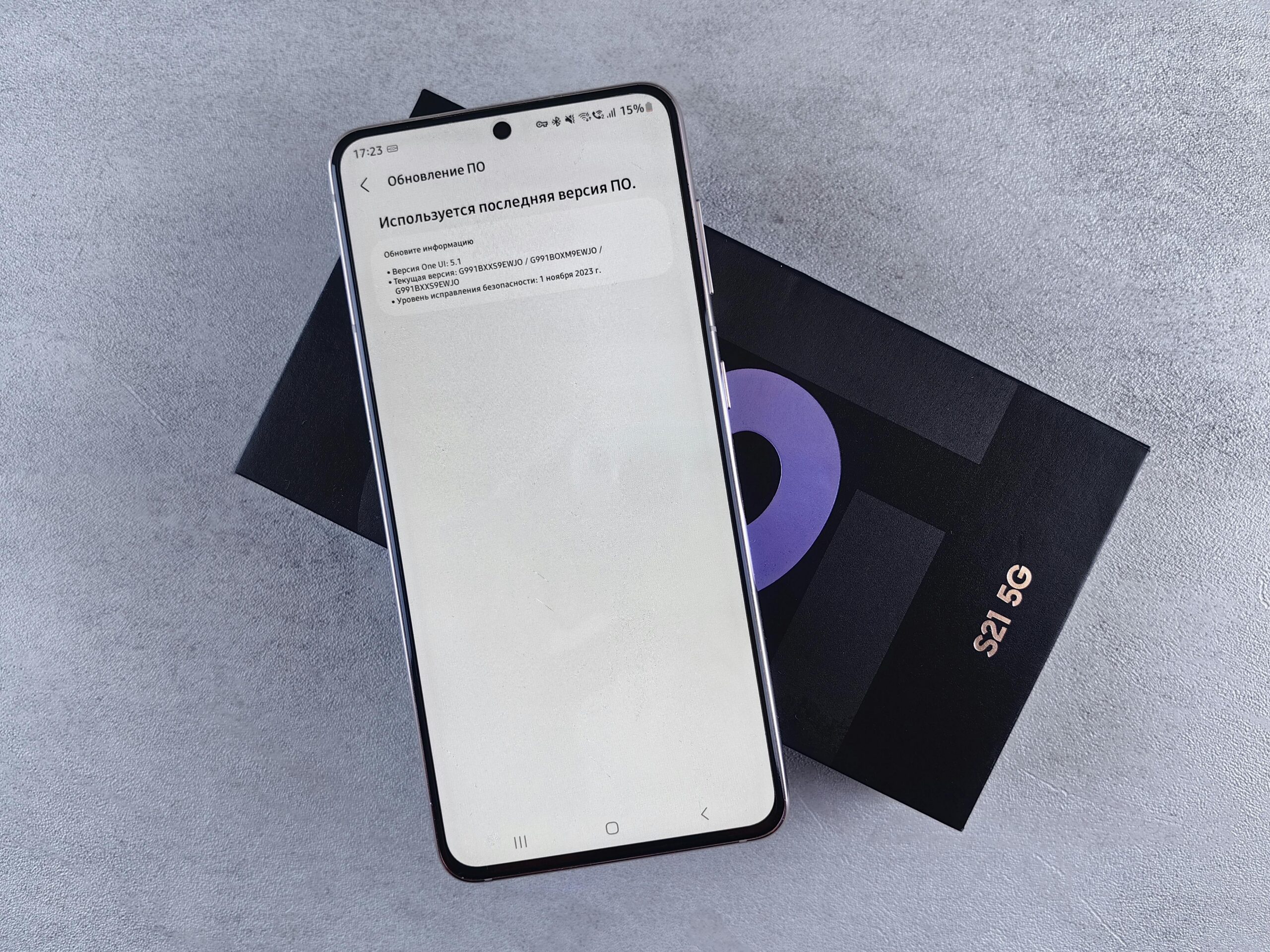
Keep your phone’s software updated. Manufacturers regularly release updates that improve network compatibility, fix connectivity bugs, and optimize antenna performance. Check for system updates monthly at minimum, and install them promptly.
Remove any thick phone cases temporarily to test if they’re interfering with signal reception. Some protective cases, particularly those with metal components, can degrade wireless performance. If you notice significant improvement without the case, consider switching to a more signal-friendly option.
Monitor your data usage carefully when first enabling 5G. The increased speeds make it remarkably easy to consume large amounts of data quickly. Set data warnings and limits in your phone’s settings to avoid unexpected overage charges.
🔋 Managing Battery Life with 5G Enabled
One common concern about 5G technology centers on battery consumption. Indeed, 5G radios do require more power than their 4G counterparts, but the impact varies based on usage patterns and settings.
When actively using 5G for data-intensive tasks like streaming or downloading, battery drain increases noticeably. However, modern smartphones employ sophisticated power management techniques that minimize this impact during idle periods or light usage.
To maximize battery life while maintaining 5G capability, consider using the “Auto” or “Smart Data” mode available on most devices. This feature intelligently switches between 5G and LTE based on your current activity, preserving battery when maximum speed isn’t necessary.
Disable 5G entirely when you know you won’t need high-speed connectivity—during workdays when connected to Wi-Fi, for example, or overnight while sleeping. Switching to LTE can extend battery life by 15-30% in some scenarios.
Background app refresh and location services consume additional battery when combined with 5G connectivity. Review which apps truly need background data access and location tracking, disabling these features for non-essential applications.
📊 Testing Your 5G Connection Speed
After enabling 5G, you’ll naturally want to verify that you’re actually receiving the promised speeds. Several reliable tools can help measure your connection performance.
Speed test applications like Speedtest by Ookla, FAST.com, or dedicated 5G testing apps provide accurate measurements of download speed, upload speed, and latency. Run tests at different times and locations to understand your typical 5G performance.
When interpreting results, remember that advertised “peak” or “maximum” speeds represent ideal conditions rarely achieved in real-world use. If you’re consistently getting 100+ Mbps downloads, your 5G connection is performing well, even if it’s not hitting the theoretical 1 Gbps maximum.
Compare your 5G speeds with 4G LTE by temporarily switching network modes and running tests on both. This provides concrete evidence of the improvement and helps you decide whether keeping 5G enabled is worthwhile in your typical usage areas.
Pay attention to latency (ping) measurements, not just download speeds. Low latency—ideally under 30ms—contributes significantly to responsiveness in gaming, video calls, and interactive applications.
🛠️ Troubleshooting Common 5G Connection Issues
Despite properly enabling 5G, you might encounter connectivity problems. Understanding common issues and their solutions helps maintain optimal performance.
If your phone doesn’t show a 5G indicator despite being in a coverage area with a compatible device and plan, try these steps:
- Toggle Airplane Mode on and off to force a network reconnection
- Restart your phone completely to refresh network settings
- Remove and reinsert your SIM card (after powering off) to ensure proper contact
- Reset network settings (note this will erase saved Wi-Fi passwords)
Inconsistent 5G connectivity—frequently switching between 5G and 4G—usually indicates you’re at the edge of coverage. This is normal in areas where 5G deployment is still expanding. Your phone will automatically choose the strongest available signal.
Slower-than-expected speeds despite showing 5G can result from network congestion, particularly during peak usage hours. Try testing at different times to identify patterns. Additionally, verify you’re connected to true 5G (often labeled “5G UC,” “5G UW,” or “5G+”) rather than 5G E or 5G+, which are sometimes enhanced 4G services marketed as 5G.
🌍 Understanding Different Types of 5G Networks
Not all 5G is created equal. Carriers deploy different frequencies and technologies under the 5G umbrella, each with distinct characteristics and performance profiles.
Low-band 5G operates on frequencies similar to 4G LTE, offering broad coverage and good building penetration but modest speed improvements—typically 30-100 Mbps. This represents the most widespread 5G deployment type, particularly in suburban and rural areas.
Mid-band 5G strikes a balance between coverage and speed, delivering 100-400 Mbps while covering several city blocks per tower. This frequency range provides the most practical everyday 5G experience for most users.
High-band or millimeter wave (mmWave) 5G offers extraordinary speeds—potentially exceeding 1 Gbps—but extremely limited range and poor building penetration. You’ll typically find mmWave only in dense urban areas, stadiums, and airports, covering just hundreds of feet from each transmitter.
Your phone automatically connects to whichever 5G type is available, though you may notice performance variations as you move between coverage zones. Understanding these differences helps set realistic expectations for your 5G experience.
💡 Practical Tips for Maximizing Your 5G Experience
Beyond simply enabling the technology, several strategies help you extract maximum value from your 5G connection.
Take advantage of 5G speeds for tasks you’ve previously avoided on cellular connections. Downloading large files, updating apps, or backing up photos to cloud storage becomes practical even without Wi-Fi. Schedule these activities for when you’re in strong 5G coverage areas.
Streaming services often default to lower quality on mobile connections. With 5G, you can safely increase streaming quality settings to HD or even 4K without buffering concerns. Just monitor data consumption to avoid plan limits.
Cloud gaming services like Xbox Cloud Gaming, GeForce NOW, or PlayStation Remote Play become genuinely viable on 5G networks. The combination of high bandwidth and low latency creates responsive gaming experiences previously requiring wired connections.
Video calling quality improves dramatically on 5G. Enable HD video in apps like Zoom, FaceTime, or Google Meet for clearer, more professional remote communication.
🔐 Security Considerations for 5G Networks
While 5G technology includes improved security features compared to previous generations, users should remain vigilant about protecting their data and privacy.
5G networks incorporate enhanced encryption protocols and authentication mechanisms that make interception more difficult. However, the security of your connection still depends partly on the websites and apps you use. Always look for HTTPS connections when browsing and avoid entering sensitive information on unsecured sites.
Be cautious when using public 5G networks or hotspots. While rare, sophisticated attackers can potentially create fake cell towers (sometimes called “IMSI catchers”) that intercept communications. Using a reputable VPN service adds an extra security layer, encrypting all traffic between your device and the internet.
Keep your device’s operating system and security patches current. Manufacturers regularly address vulnerabilities that could potentially be exploited on any network, including 5G. Enable automatic updates when possible to ensure continuous protection.
🚀 The Future of 5G and What’s Coming Next
Current 5G networks represent just the beginning of this technology’s potential. As infrastructure continues expanding and maturing, new capabilities and applications will emerge.
5G Standalone (SA) networks—currently being deployed—operate independently without relying on 4G infrastructure. This enables new features like network slicing, which allows carriers to create virtual networks optimized for specific applications, from IoT sensors to emergency services.
The combination of 5G with edge computing will bring processing power closer to users, reducing latency even further and enabling applications like real-time augmented reality, autonomous vehicles, and remote robotic control.
Looking further ahead, research into 6G technology has already begun, though commercial deployment likely won’t occur until 2030 or later. These future networks promise even faster speeds, potentially reaching 100 Gbps, and latency measured in microseconds rather than milliseconds.
By enabling and optimizing 5G on your device today, you’re positioning yourself at the forefront of mobile connectivity evolution. The technology will only improve from here, with expanded coverage, better performance, and innovative applications that we’re only beginning to imagine. Your 5G-enabled smartphone serves as your gateway to this rapidly evolving digital landscape, transforming how you work, play, and connect with the world around you.
