
Anúncios
Listening to traditional radio on your smartphone has become easier than ever, blending nostalgia with modern convenience and connectivity.


The digital age hasn’t killed radio—it’s simply transformed how we access it. While streaming services dominate the music landscape, millions still tune into FM and AM stations for news, sports, talk shows, and local content that streaming platforms can’t replicate. The good news? Your smartphone can become a powerful radio receiver, opening up a world of broadcasting right in your pocket.
Anúncios
Whether you’re commuting, exercising, or simply relaxing at home, accessing live radio broadcasts through your mobile device offers unique advantages. You get real-time local information, discover new music through curated playlists from DJs, and connect with your community in ways that algorithmically-generated content simply cannot match. Let’s explore everything you need to know about turning your phone into a portable radio station.
📻 Understanding FM and AM Radio Technology on Mobile Devices
Most modern smartphones actually contain FM radio chips built directly into their hardware. These chips are typically integrated into the Wi-Fi or Bluetooth modules, meaning the capability exists whether you knew it or not. However, manufacturers and carriers often disable this functionality, pushing users toward data-consuming streaming services instead.
AM radio reception on smartphones is considerably rarer. The technical requirements for AM broadcasting differ significantly from FM, and most phone manufacturers haven’t prioritized including AM receivers in their designs. This means AM enthusiasts often need to rely on internet streaming apps rather than direct radio reception.
Anúncios
The FM chip in your phone works similarly to a traditional radio—it needs an antenna to receive broadcasts. Your headphone cable actually serves this purpose, which is why many FM radio apps require wired headphones to be connected, even if you want to listen through the phone’s speakers.
🎧 Apps That Bring Radio Broadcasting to Your Fingertips
The app ecosystem offers two distinct approaches to mobile radio: apps that access your phone’s built-in FM chip and apps that stream radio stations over the internet. Each has unique advantages depending on your needs and circumstances.
Native FM Radio Apps
These applications tap directly into your phone’s FM receiver chip, allowing you to listen without consuming mobile data. Popular options include NextRadio (now available as a feature in some devices), Spirit FM, and various manufacturer-specific apps that come pre-installed on certain Android phones.
The biggest advantage? You’re listening to actual radio waves, not streaming data. This means no buffering, no data charges, and continued functionality even when internet connectivity is poor or nonexistent. During emergencies or natural disasters, this can literally be a lifesaver.
Internet-Based Radio Streaming Apps
Apps like TuneIn Radio, iHeartRadio, Radio.com, Simple Radio, and myTuner Radio stream stations from around the world directly to your device. These platforms aggregate thousands of FM and AM stations, offering unprecedented choice and geographic flexibility.
You can listen to your hometown station while traveling abroad, discover niche stations from other countries, or explore genre-specific channels that don’t exist in traditional broadcasting. The tradeoff is data consumption—typically between 40-60 MB per hour of listening.

🔧 How to Activate Your Phone’s Built-In FM Receiver
If your device has an enabled FM chip, accessing it is straightforward. First, connect wired headphones—this step is non-negotiable as the cable acts as the antenna. Bluetooth headphones won’t work for direct FM reception, though you can use them with streaming apps.
Check your app drawer for a pre-installed radio app. Samsung devices often include “FM Radio,” while LG phones might have “FM Radio” or “Spirit FM.” If nothing appears, search your device model online followed by “FM radio capability” to determine if the feature exists and how to access it.
For devices with disabled chips, third-party apps like Spirit FM or NextRadio may unlock the functionality, though this varies by manufacturer and carrier. Some newer iPhone models have removed FM chips entirely, making native radio reception impossible on those devices.
🌐 Best Streaming Apps for AM and FM Radio Access
When native FM reception isn’t available or you want broader station access, streaming apps become essential tools. Let’s examine the top options and what makes each unique.
TuneIn Radio 📱
TuneIn stands as perhaps the most comprehensive radio aggregator available. With over 100,000 live radio stations and four million podcasts, the platform offers both free and premium tiers. The free version includes ads and standard stations, while TuneIn Premium removes ads and adds exclusive sports, news, and commercial-free music stations.
The interface is intuitive, allowing searches by location, genre, language, or specific station call signs. You can save favorites, set sleep timers, and access robust alarm clock features. The app works seamlessly across Android and iOS, with Android Auto and CarPlay integration for safe listening while driving.
iHeartRadio 🎵
Owned by iHeartMedia, one of America’s largest radio broadcasters, this app provides direct access to their extensive network plus thousands of other stations. Beyond live radio, iHeartRadio creates custom stations based on your music preferences, blending traditional broadcasting with personalized streaming.
The platform excels in content variety—live sports, news talk, music discovery, and exclusive podcasts all coexist within one application. Social features let you see what friends are listening to and share favorite stations or songs directly through the app.
Simple Radio 🔘
True to its name, Simple Radio prioritizes ease of use over feature complexity. The clean interface displays stations in an organized grid, with minimal clicks between you and your desired content. Over 40,000 stations are available, covering AM and FM broadcasts from virtually every country.
Recording capabilities set Simple Radio apart—you can capture broadcasts for later playback, perfect for time-shifting your favorite shows. The app also includes a sleep timer, favorites organization, and recently played history for quick access to stations you’ve enjoyed.
Radio.com (Now Audacy) 📡
Rebranded as Audacy, this platform focuses heavily on sports content alongside traditional radio. If you follow specific teams or sports radio personalities, Audacy likely carries the stations you’re looking for. The app also emphasizes podcasts, creating a comprehensive audio entertainment hub.
Custom news briefings pull stories from their radio network, delivering personalized updates based on your interests. The interface learns your preferences over time, surfacing relevant stations and shows you might enjoy based on listening patterns.
📊 Comparing Data Usage Across Radio Streaming Options
Understanding data consumption helps manage your mobile plan effectively, especially if you’re a frequent radio listener without unlimited data.
| Listening Method | Data Usage Per Hour | Monthly Usage (2hrs/day) |
|---|---|---|
| Native FM Radio (chip) | 0 MB | 0 MB |
| Standard Streaming (64kbps) | ~30 MB | ~1.8 GB |
| High Quality (128kbps) | ~60 MB | ~3.6 GB |
| Premium Quality (256kbps) | ~115 MB | ~6.9 GB |
Most radio apps default to medium quality streaming around 64-96kbps, which balances audio quality with data efficiency. For talk radio and news, lower bitrates are perfectly adequate since voice clarity doesn’t require high fidelity.
🚗 Listening to Radio While Driving: Safety and Integration
Mobile radio apps integrate beautifully with modern vehicle infotainment systems. Android Auto and Apple CarPlay both support major radio streaming apps, displaying simplified interfaces on your car’s touchscreen while keeping your phone safely stowed.
Voice commands through Google Assistant or Siri allow hands-free station changes. Simply say “Hey Google, play NPR on TuneIn” or “Hey Siri, tune to 95.5 FM on iHeartRadio” to switch stations without taking your eyes off the road.
Bluetooth connectivity provides another avenue for car listening. Pair your phone with your vehicle’s audio system, open your preferred radio app, and enjoy full-quality audio through your car speakers. This method works even in older vehicles without smart integration, as long as they have Bluetooth capability.
💡 Pro Tips for Enhanced Mobile Radio Listening
Maximize your experience with these often-overlooked strategies:
- Download stations for offline listening: Some apps like Simple Radio allow recording, while others cache recently played content for brief offline access.
- Use Wi-Fi whenever possible: Stream over Wi-Fi networks to preserve mobile data, especially useful at home or work.
- Enable data saver modes: Many apps include low-bandwidth options that reduce quality slightly but significantly decrease data consumption.
- Set sleep timers: If you fall asleep to radio, timers prevent all-night streaming that drains both battery and data.
- Explore station presets: Most apps let you save favorites for one-tap access to frequently played stations.
- Check for station-specific apps: Major broadcasters often have dedicated apps with exclusive content and better streaming quality for their stations.
🔋 Battery Management for Extended Radio Listening
Streaming radio consumes more battery than native FM reception, but several strategies help extend listening time. Lower your screen brightness or turn off the display entirely—audio playback continues with the screen off, and displays are among the biggest battery drains.
Close unnecessary background apps to free up processing power. Disable location services for the radio app unless you specifically need location-based station recommendations. Most radio apps don’t require location access to function properly.
Consider portable battery packs for long listening sessions away from power sources. Modern power banks are compact and affordable, easily providing multiple full charges to keep your mobile radio playing all day.
🌍 Discovering International Radio Through Your Smartphone
One of the most exciting aspects of mobile radio streaming is global access. Language learners can immerse themselves in native broadcasts from their target language’s country. Expatriates can stay connected to home by listening to local stations from across the world. Music enthusiasts can explore genres and artists that never reach their local airwaves.
Apps like TuneIn and myTuner Radio organize international content by country and city, making discovery intuitive. You might start your morning with BBC Radio from London, switch to jazz from a Parisian station during lunch, and end your evening with Australian news radio—all without leaving your living room.
📻 Why Traditional Radio Still Matters in the Streaming Era
Despite YouTube, Spotify, and Apple Music, radio broadcasting offers irreplaceable value. Local radio provides community-specific information—traffic updates, weather alerts, local news, and community events that national streaming services can’t replicate.
Radio personalities create parasocial relationships with listeners, offering companionship and familiarity that algorithmic playlists lack. The element of surprise—hearing a forgotten favorite song or discovering new artists through DJ curation—adds serendipity missing from personalized streaming.
During emergencies, radio becomes critical infrastructure. When internet connectivity fails during natural disasters, FM radio chips in smartphones can receive emergency broadcasts, providing vital safety information. This alone justifies understanding and maintaining access to mobile radio capabilities.
🎙️ The Future of Mobile Radio Technology
Technological developments continue reshaping how we access radio through smartphones. HD Radio (also called Digital Radio or DAB+) offers superior audio quality and additional data services like song tagging and traffic information. Some newer devices support these digital broadcasting standards, though adoption varies by region.
5G networks enable higher-quality streaming with minimal latency, making internet-based radio nearly indistinguishable from traditional broadcasts in terms of delay. Some broadcasters are experimenting with interactive features that let listeners vote on song choices, participate in contests, or access visual content synchronized with audio broadcasts.
The push for manufacturers to enable FM chips in all smartphones continues, driven by safety advocates who recognize radio’s value during emergencies. Some regions have implemented or proposed regulations requiring activated FM receivers in mobile devices, potentially making native radio reception universal in future smartphone generations.
🔍 Troubleshooting Common Mobile Radio Issues
Poor reception plagues both native FM and streaming radio, though solutions differ. For FM chip users, ensure headphones are fully inserted, as loose connections weaken antenna performance. Try different headphone cables—longer cables often provide better reception by extending antenna reach.
Streaming issues usually stem from connectivity problems. Switch between Wi-Fi and mobile data to identify whether your internet connection is the culprit. Clear the app’s cache through your phone’s settings, which resolves many playback glitches. Updating to the latest app version fixes bugs that cause crashes or buffering.
If specific stations won’t play, they may have geographic restrictions or temporary technical difficulties. Try alternative stations or apps—most major broadcasters stream through multiple platforms, so if one app fails, another might work perfectly.
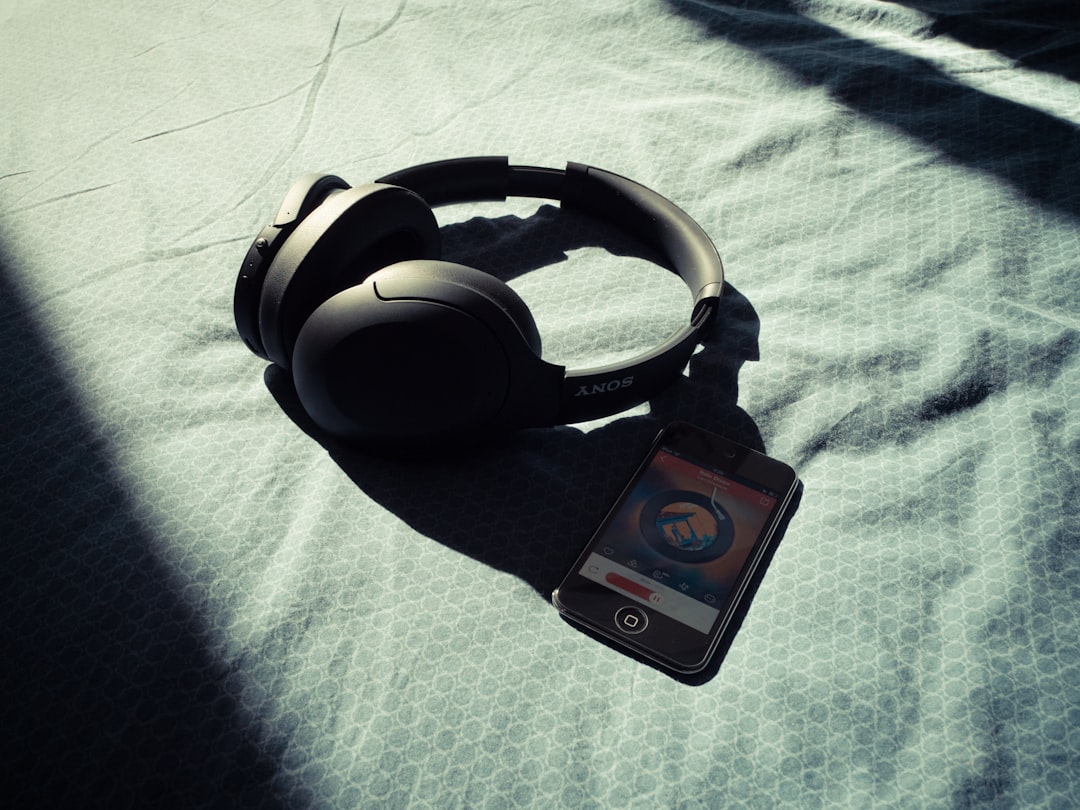
📱 Making Radio Part of Your Daily Mobile Routine
Integrating radio into your smartphone habits enriches your daily experience. Set your favorite morning show as your alarm through apps with clock functions. Listen to news radio during your commute to stay informed without staring at screens. Use talk radio or podcasts during exercise as motivating background content.
Radio’s lean-back nature makes it perfect for multitasking—cooking, cleaning, working, or relaxing all pair beautifully with audio entertainment that doesn’t demand visual attention. Your smartphone transforms into a portal for this classic medium, combining radio’s timeless appeal with modern convenience.
The resurgence of interest in live, unscripted content has breathed new life into radio broadcasting. As listeners grow fatigued with algorithm-curated content, the human curation and spontaneity of radio provides refreshing authenticity. Your smartphone ensures you’re never more than a few taps away from this experience, whether through native FM reception or worldwide streaming access. Embrace the technology that brings decades of broadcasting tradition into your pocket, and rediscover why radio has remained relevant through every technological revolution since its invention.
